
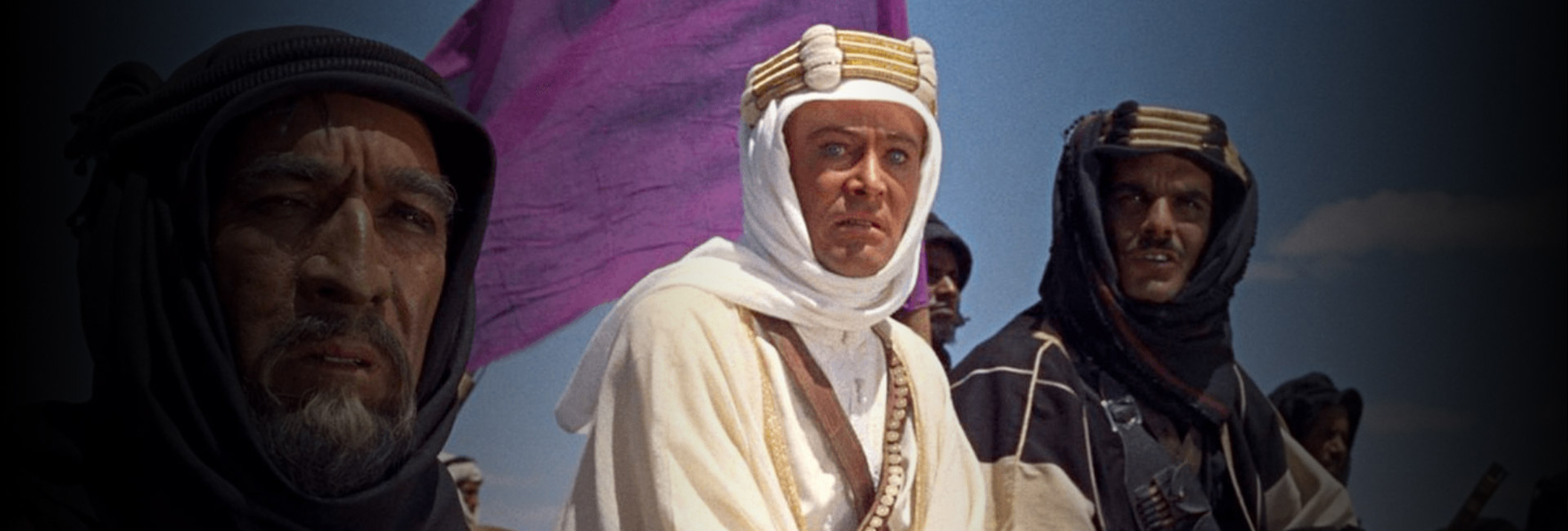
DRS™Nova V7.0 - The New Standard in Restoration

MTai FrameGen
MTai FrameGen, now bundled with DRS™Nova V6.0, harnesses the power of generative AI to recreate missing frames from jump cuts and frame slugs, providing restoration capabilities unmatched by other image-based clean-up tools. This innovative addition to the MOTION module, combined with SHINE and AutoFilter and the existing DRS™Nova tools for Paint, Dewarping, and Deflicker, empowers artists to achieve unprecedented levels of precision and quality through the use of AI in their restoration projects.

Emmy Award Winning
MTI FILM has been recognized for (2) years in a row by the The Academy of Television Arts & Sciences (ATAS) and The National Academy of Television Arts and Sciences (NATAS) for our DRS™Nova software. In 2024, MTI FILM was recognized for the amazing number of television shows restored using the DRS™Nova software. Multiple companies shared work that they had restored over the years using the system. In 2025, the company and it’s software were recognized for the use of AI (MTai) in high quality television remastering by (NATAS).

Free 30 Day Trial
DRS™Nova v6.0 with MTai FrameGen
Discover the power of MTI’s DRS™Nova software firsthand with our free, 30-day trial. Installation is fast and simple. No credit card needed. Within minutes, you can test drive our feature rich production-grade software of automated, manual, and generative ai tools. See what’s under the hood before you buy. Enjoy the ride.
Download Now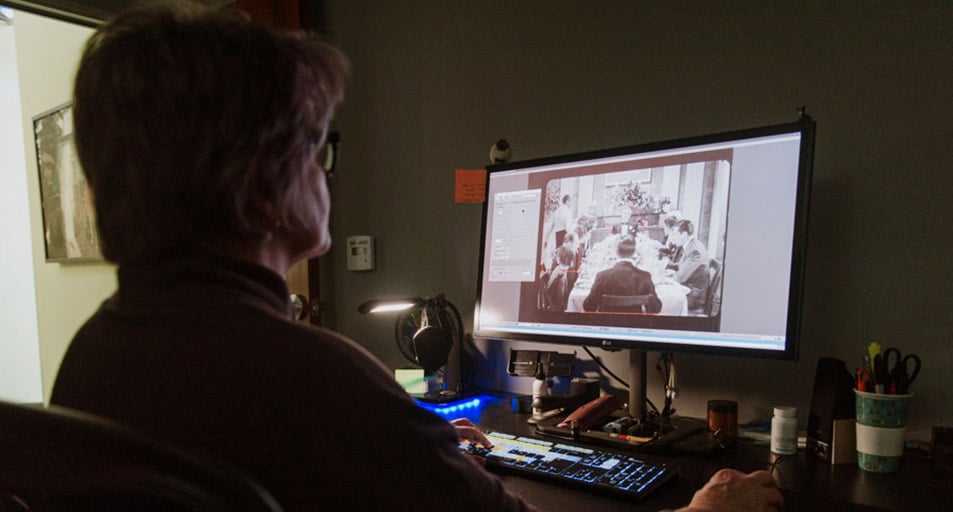
Buy or Rent
Celebrating over 30 years of continuous development, MTI Film works every day to improve tools for digital film restoration.
DRS™Nova Advanced Toolset Includes:
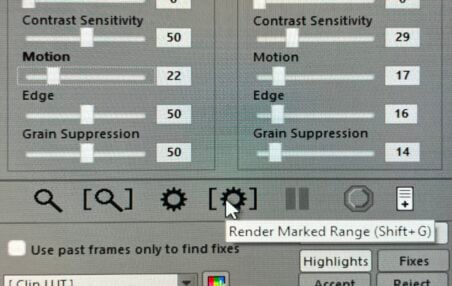
Grain Suppression Control new in SHINE
MTai Cut Detection – UPDATED in V7.0
Developed and tested in CORTEX, this technology was imported into the DRS™Nova Project Manager allowing for faster analysis and improved detection.
Debris Filters – Shine and AutoFilter – UPDATED in V7.0
Shine and AutoFilter automatically detect and repair dust and defects, while Shine provides superior technology for dirt and fleeting scratch replacements. With the addition of background pre-processing and general speed improvements, the SHINE tool runs significantly faster even at higher resolutions up to 6K for Vista Vision support. Added Grain Suppression control to improve detection of dirt and debris with grainy content.
Camera Motion
Analyzes camera motion for each shot and creates “motion segments”, which can consist of Static, Low, and High motions. The artist can assign different values to each motion segment in tools that support the analysis. Use Camera Motion with SHINE and Grain.
Enhanced Stabilization
Offers manual or automated tools to repair jitter, gate weave, splice bumps, and other stabilization issues with the Auto-Stabilize tool leveraging camera motion analysis for optimal results. Powerful manual tracker with a feature that allows a single track point to be used to stabilize multiple portions of an image.
Grain and Aperture
Reduce grain of all or discrete color channels and apply aperture correction to sharpen the image.
Create custom grain patterns that can be applied globally in the tool or used in the Paint and DRS™ tools to enhance fixes. Including a Grain Override function to balance the grain density in a fix for high resolution content.
Waveform Measurement Tool
Featuring an RGB parade to measure code values and NITs, enhancing accuracy and efficiency in restoration workflows.
Improved Bookmark Events
Simplifies the process of adding a Bookmark event. Allows for the bookmarking of a single frame or range of frames with comments, user defined instructions, and thumbnails.
Shot Copy Tool
Easily Copy and Replace Frames in a non-destructive manner using the new Shot Copy tool. Copy shots between versions while maintaining the shot history.
NOVA Paint with Top and Bottom playback in CLIP mode
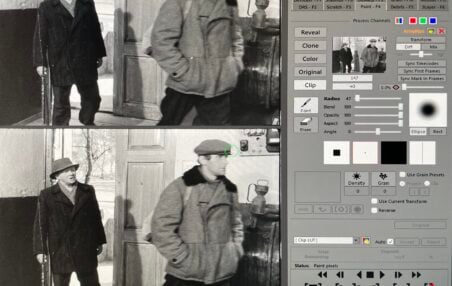
NOVA Paint Updates – Updated in V7.0
Side by Side playback of two different clips at different frame rates. View Top to Bottom or Side by Side. NOVA Paint allows the ability to paint from one clip to another to fix anomalies with AI generated content. MTai Frame Convert and NOVA Paint combined with the DRS toolset provides a powerful solution that no other restoration system offers today.
MTai FrameGen – Updated iin V7.0
Augmenting the Motion module, MTai FrameGen, now bundled with DRS™Nova, provides a generative AI tool to fix jump cuts, repair frame slugs and also replace highly damaged frames using an interpolation model trained by MTI FILM. Updated with TensorRT engine for faster and improved AI renders. MTai is included in year one support. Failure to renew support will limit MTai Frame Gen functionality.
Clip Mode
Clip mode in Paint now provides the ability to playback two different clips at the same time, even if different frame rates, allowing the user to Paint from Source to Destination and replace frames with a simple Shift Insert command. Ideal for correcting AI generated errors during frame rate conversion or frame generation.
DRS™
Use the DRS™ tool to manually eliminate dust, static dirt, debris, scratches, tears, and replace missing frames. Draw, Paint or Lasso dirt.
Deflicker and Mistime
Using Global or Zonal user-defined regions, eliminate density flicker and color fading due to film emulsion aging. The Mistime tool repairs gradient artifacts at the top of the incoming frame and the bottom of the outgoing frame that occur due to laboratory printer light lag.
Scratch Removal
Repair fleeting or persistent scratches with superior results.
Dewarp
Fix geometric distortions caused by film shrinkage and aging using three or more tracking points. For shots with less than three tracking points, the tool provides for the use of “phantom points” that can be anchored to the existing good ones.
3 Layer Registration
Fix misaligned 3-Strip films recorded to a single film element. The tool can reposition the red and blue channels on their X and Y axes to register against the green control channel or, optionally, warp the channels.

Hardware
Recommended Hardware for DRS Nova
- Recommended Hardware for DRS Nova
- Windows 10 or 11
- 128 GB RAM (minimum) – 256GB RAM (Recommended)
- AMD Ryzen™ Threadripper™ PRO 7995WX (or 5975WX) 32 Core CPU
- or 7995WX (or 5995WX) 64-Core CPU (Recommended)
- or Intel® Xeon® W9-3495X CPU
- or the HP Z8 G4 SUPPORTED CPU LINE-UP
- NVidia GPU RTX 4090ti or 5080ti class for maximum rendering speed increase for MTai FrameGen, Stabilization, Dewarp, and Defllicker. GTX 3080ti minimum requirement with minimum 16GB onboard memory.
- Be sure to obtain the latest NVidia driver recommendation from MTI FILM Support

Support
Annual Upgrades & Support for DRS Nova:
Single License
$3,500
Multi-seat License
$2,900
- Includes all major and minor version upgrades to DRS Nova for the term of the contract.
- MTai now a bundled feature with annual support. Failure to renew support will limit MTai FrameGen functionality after year one.
- Technical Support available via email and on MTI Film’s Support Forum.
- Response Time: 24 hours or sooner.